Portlio public docs
Product Tour
Take a visual walk-through of the Portlio application lifecycle, from authorization to fully automated background deployments.
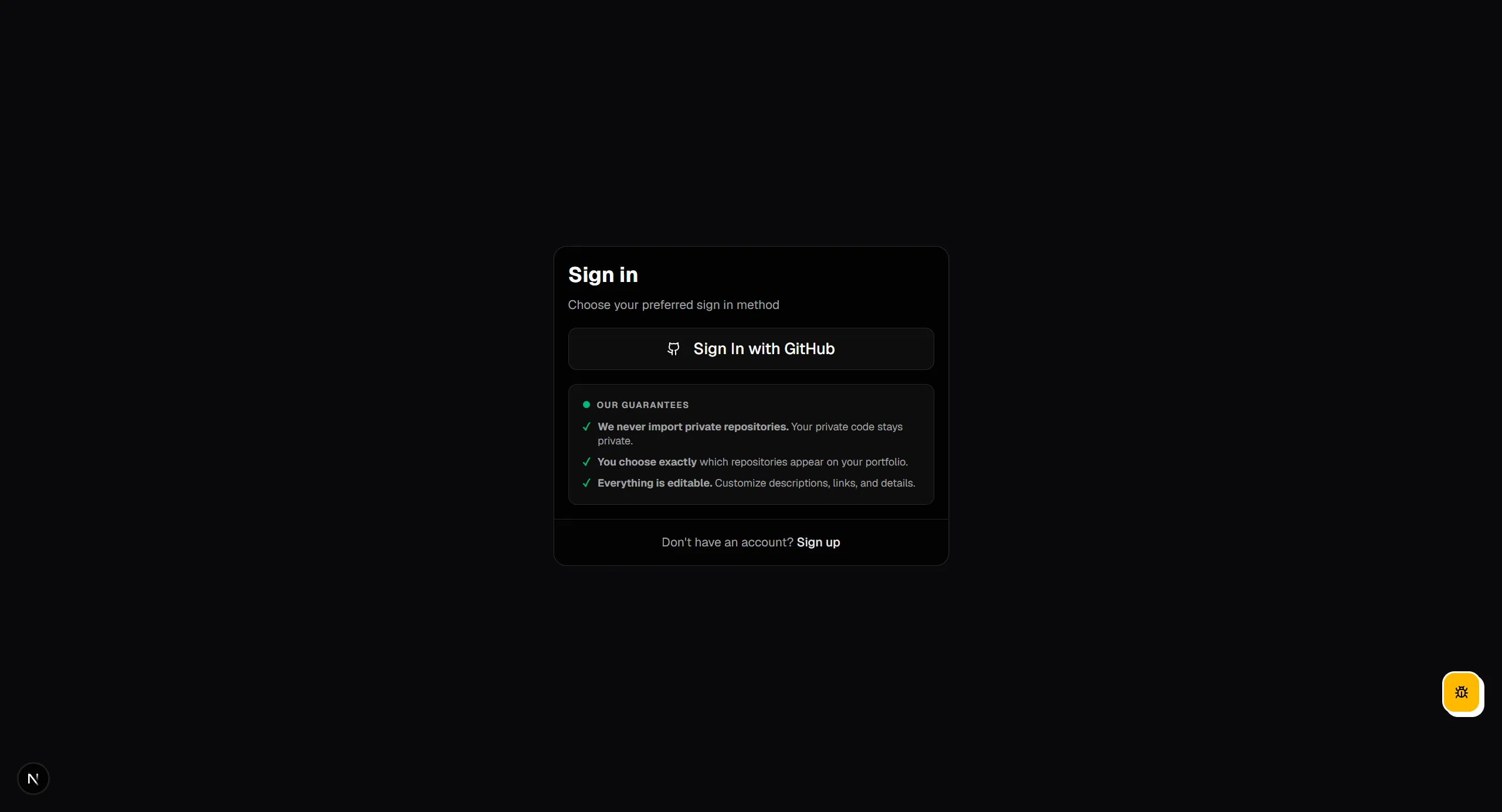
1. Sign in with GitHub
Connect safely via GitHub OAuth. We request read-only access to your public profile and repositories, and we never touch private code.
2. Onboarding Wizard
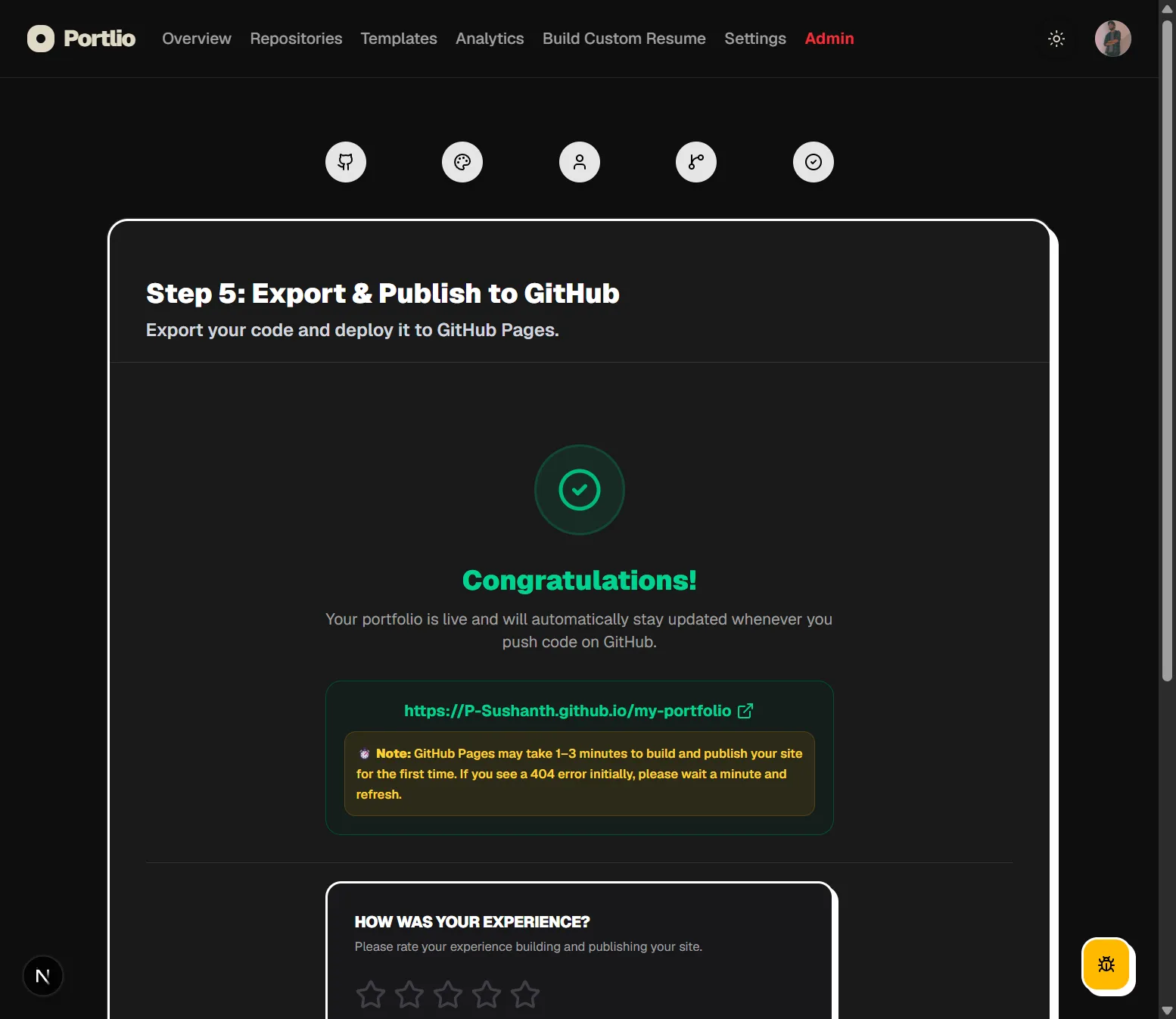
A simple, guided 5-step onboarding flow coordinates your GitHub details, imports projects, selects templates, and starts the initial deploy.
3. GitHub App Installation
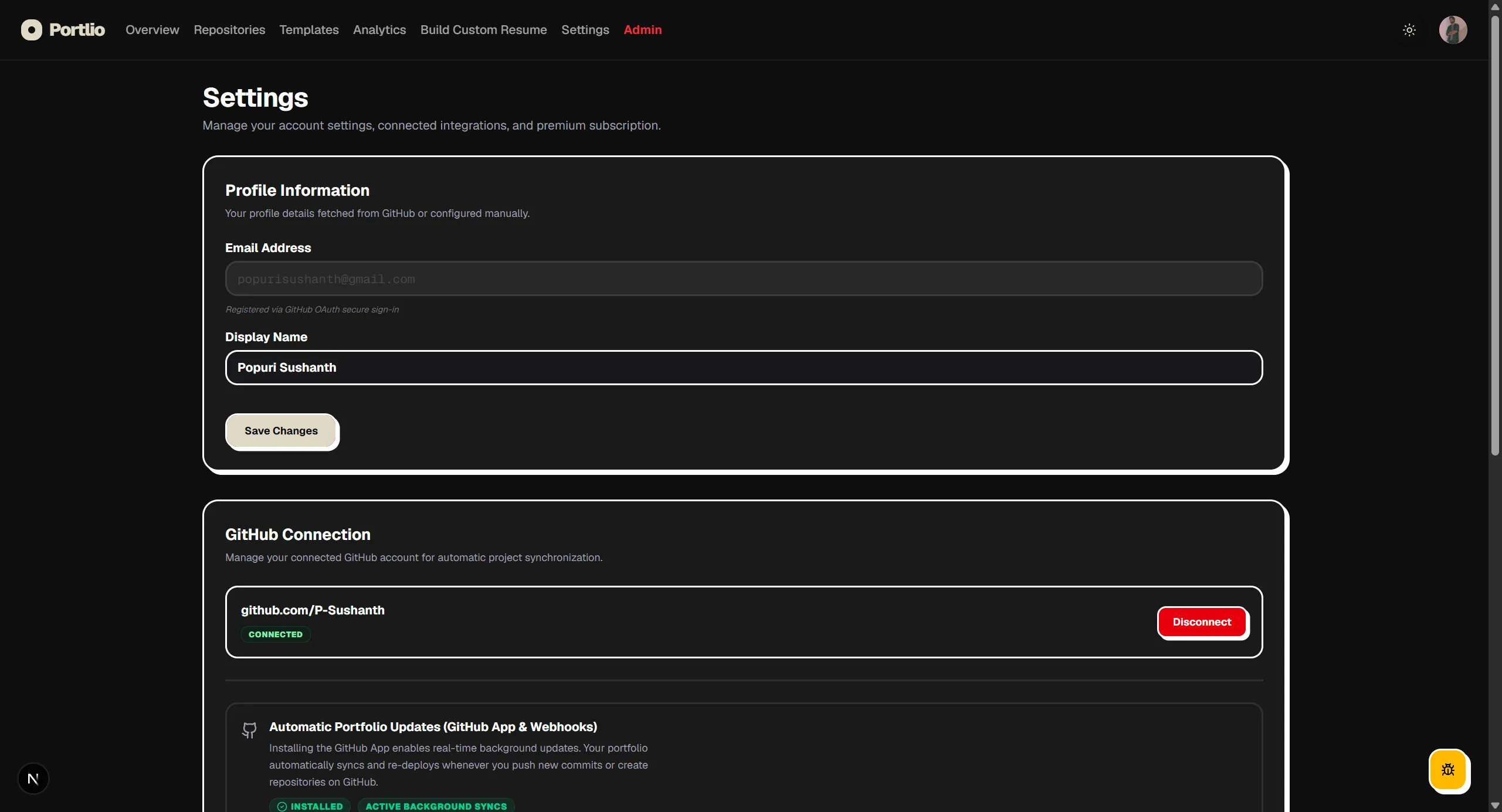
Install our lightweight GitHub App. This registers secure webhooks, enabling Portlio to listen for pushes and new repository creations in the background.
4. Repository Syncing
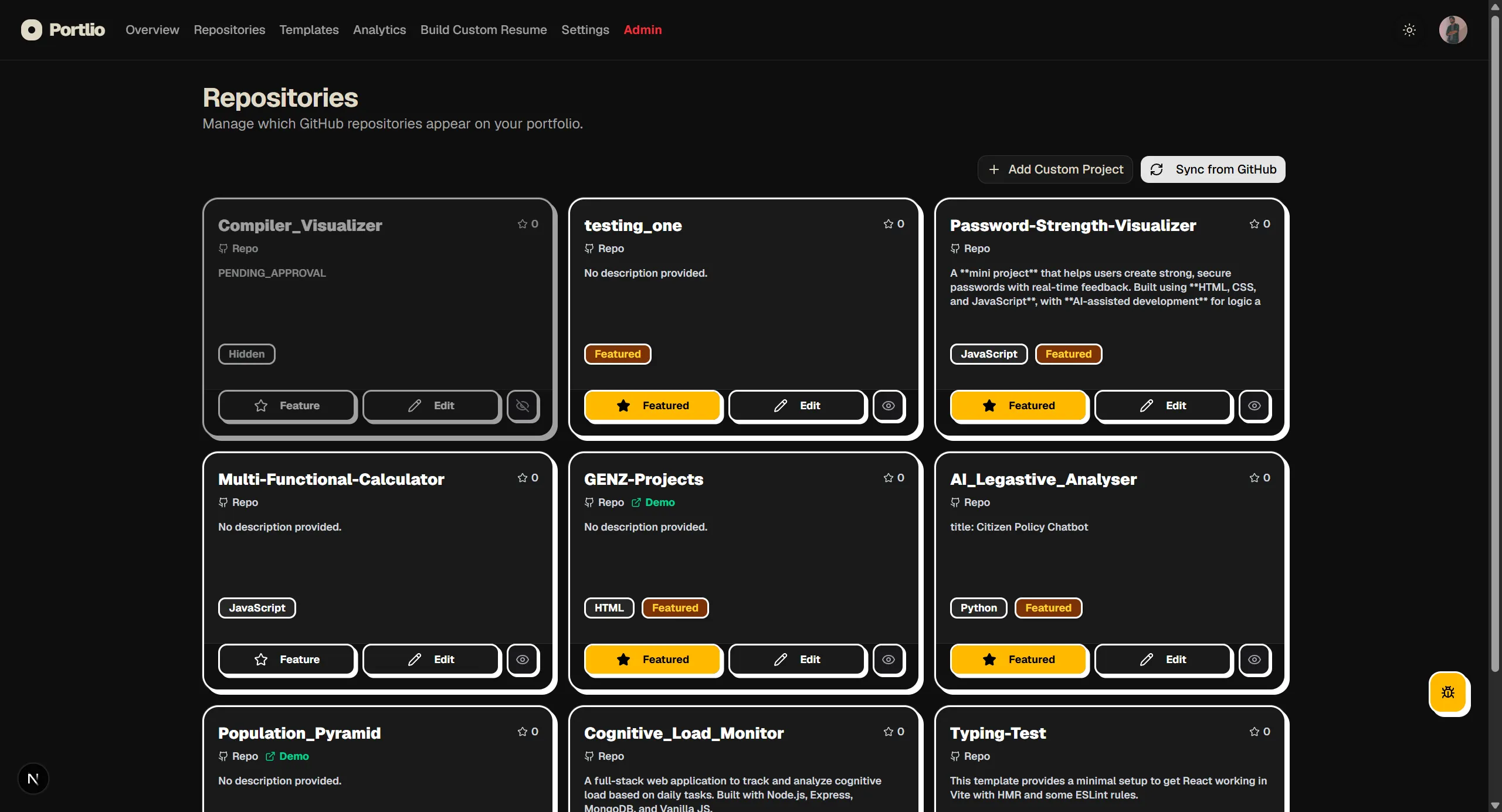
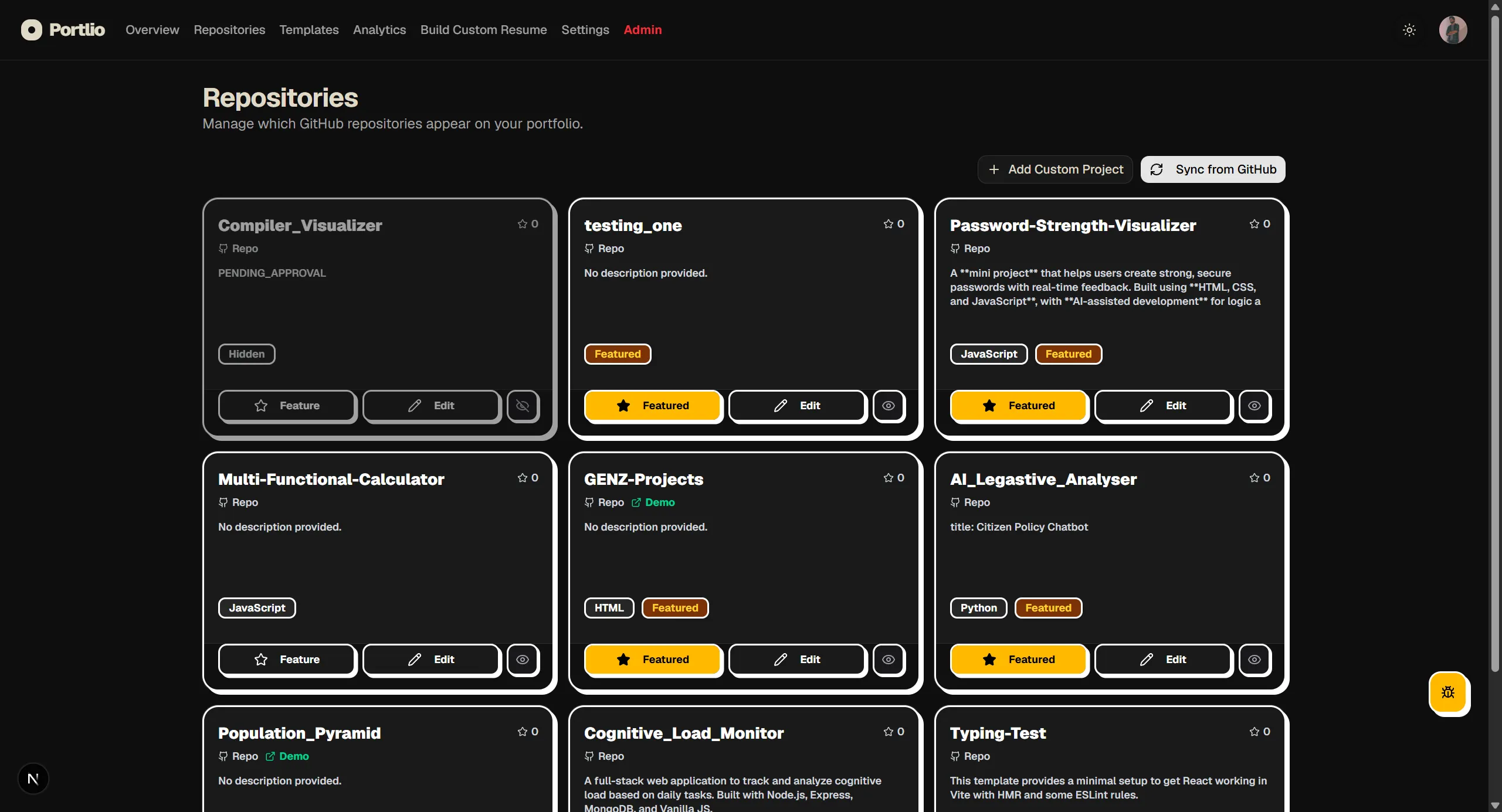
All your public repositories are automatically fetched, cataloged, and rendered in the dashboard. You can choose exactly which ones are visible or hidden.
5. Project Storytelling
Write about the Problem, Solution, and Challenges of each project. Portlio automatically extracts the initial summary from your README.md as a baseline.
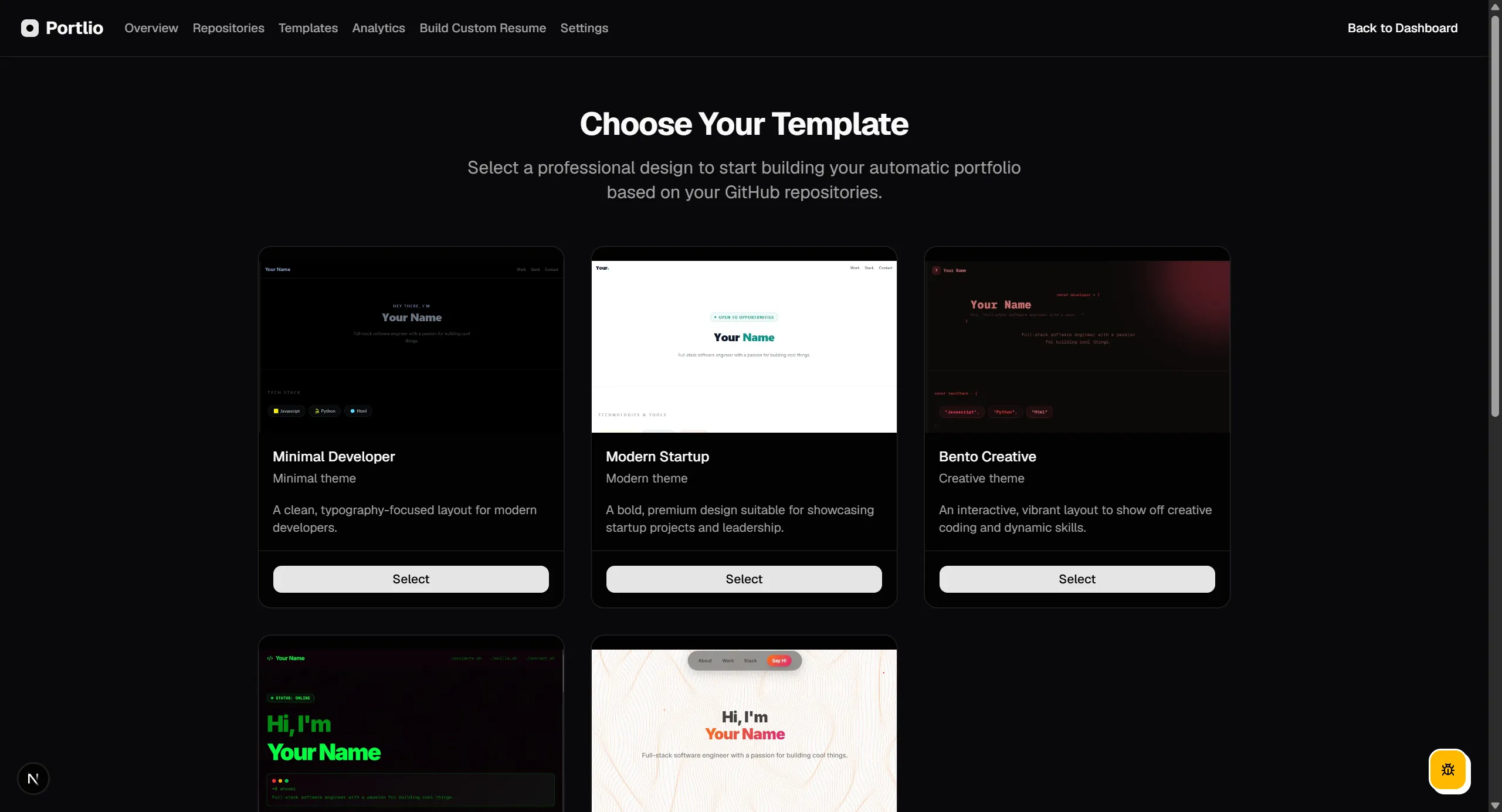
6. Template Selection
Choose from 5+ developer templates including bento grid, startup landing, creative showcase, or cozy sunset aesthetics. Swap styles instantly.
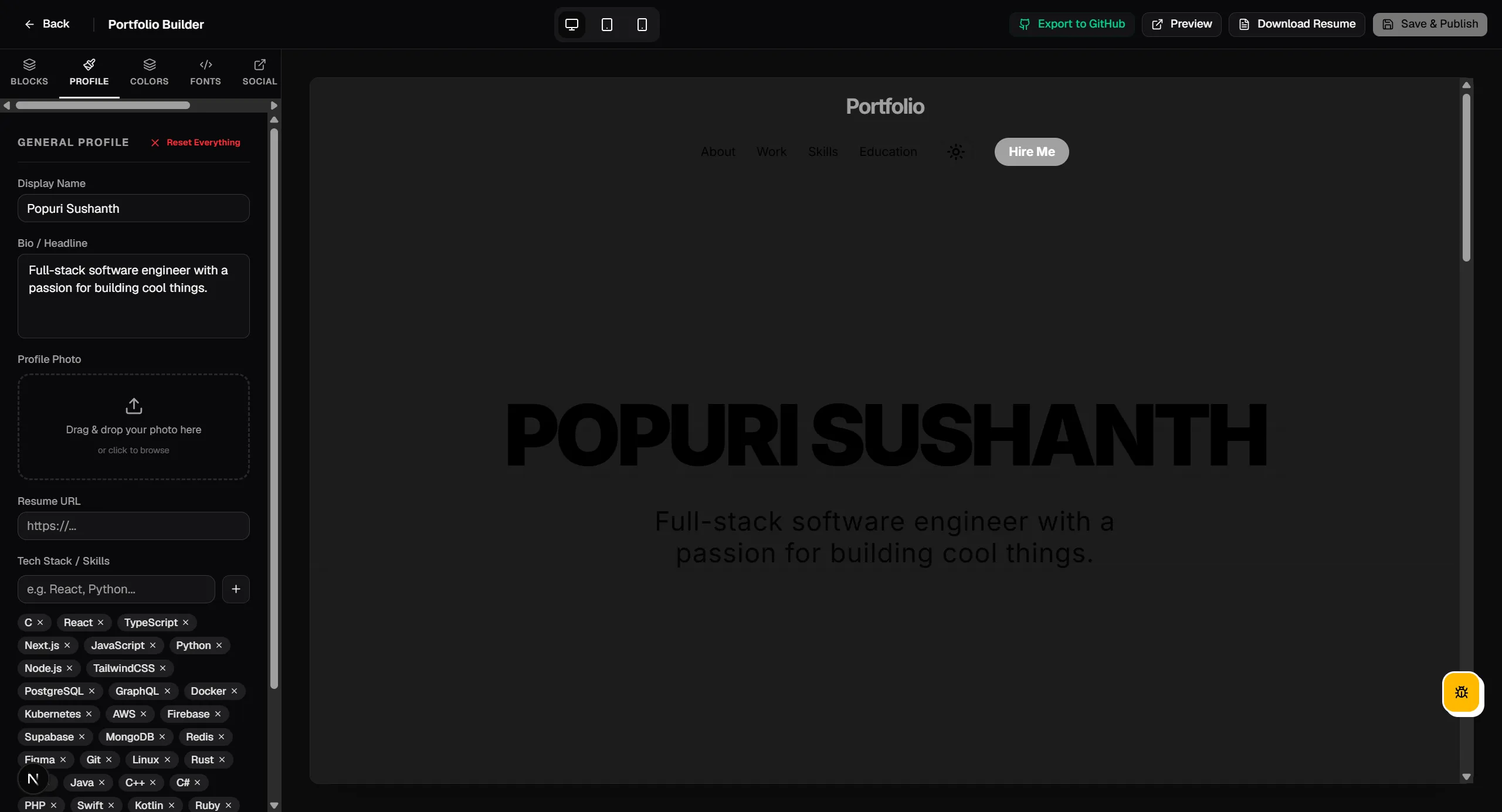
7. Portfolio Customizer
A side-by-side customization interface. Tweak colors, load custom fonts, organize nav links, and preview changes in real time before publishing.
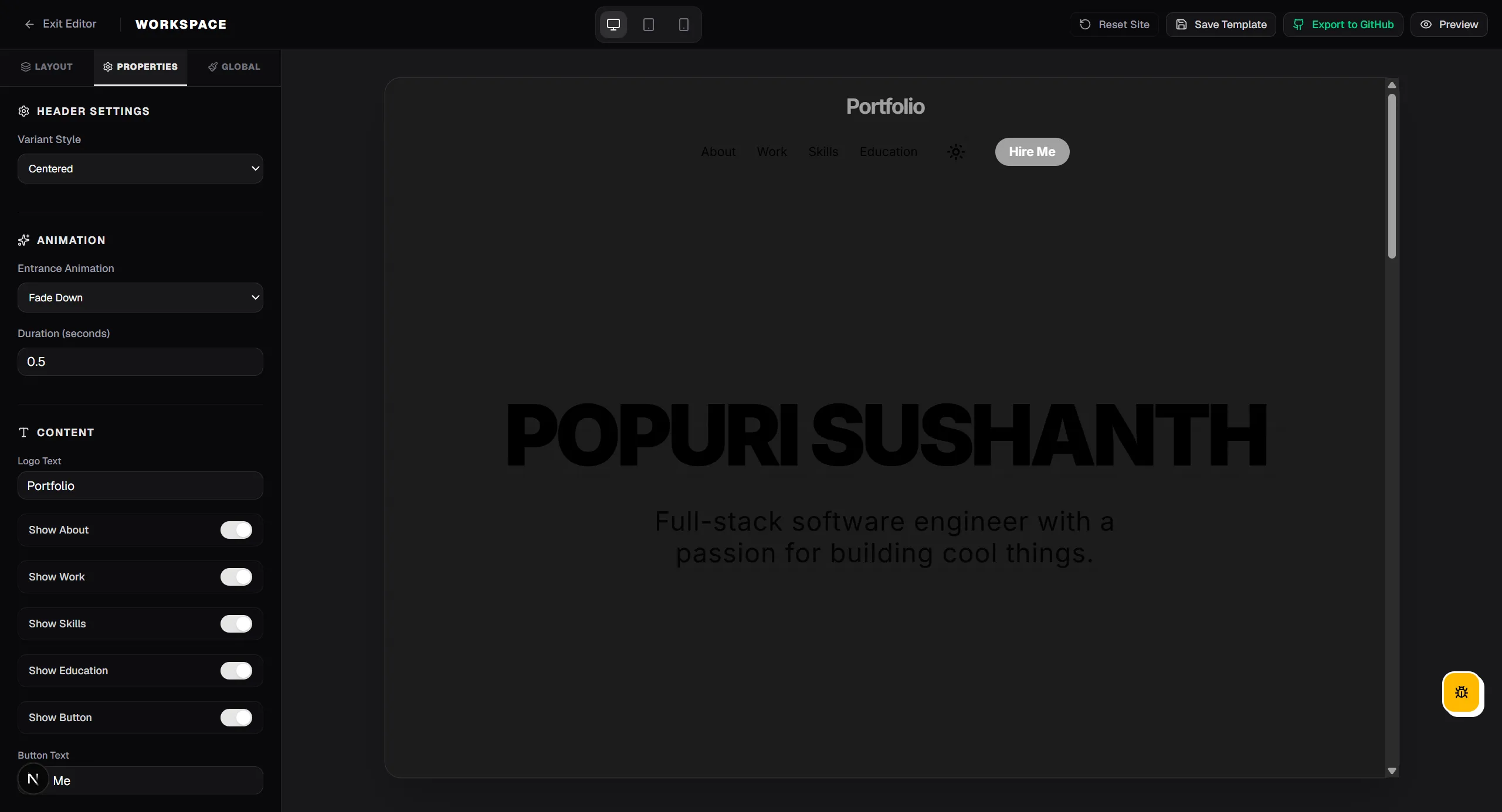
8. Dynamic Workspace Builder
Premium users unlock the drag-and-drop block editor. Rearrange landing sections, create custom text blocks, and add constellation or matrix canvas backgrounds.
9. Deployment Targets
Deploy instantly to GitHub Pages with zero configuration. Alternatively, export configurations to deploy on Vercel or Netlify with one click.
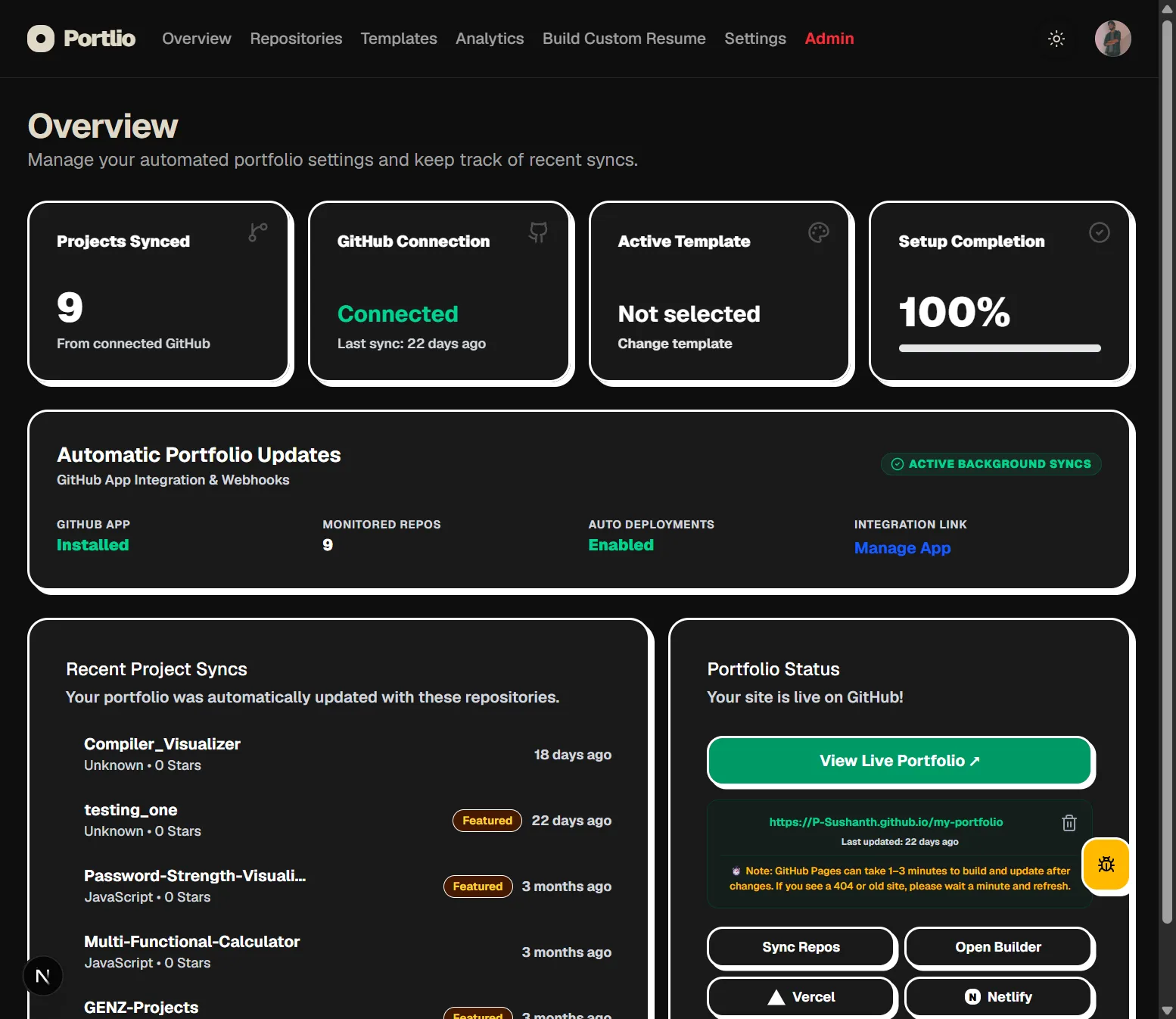
10. Automatic Updates
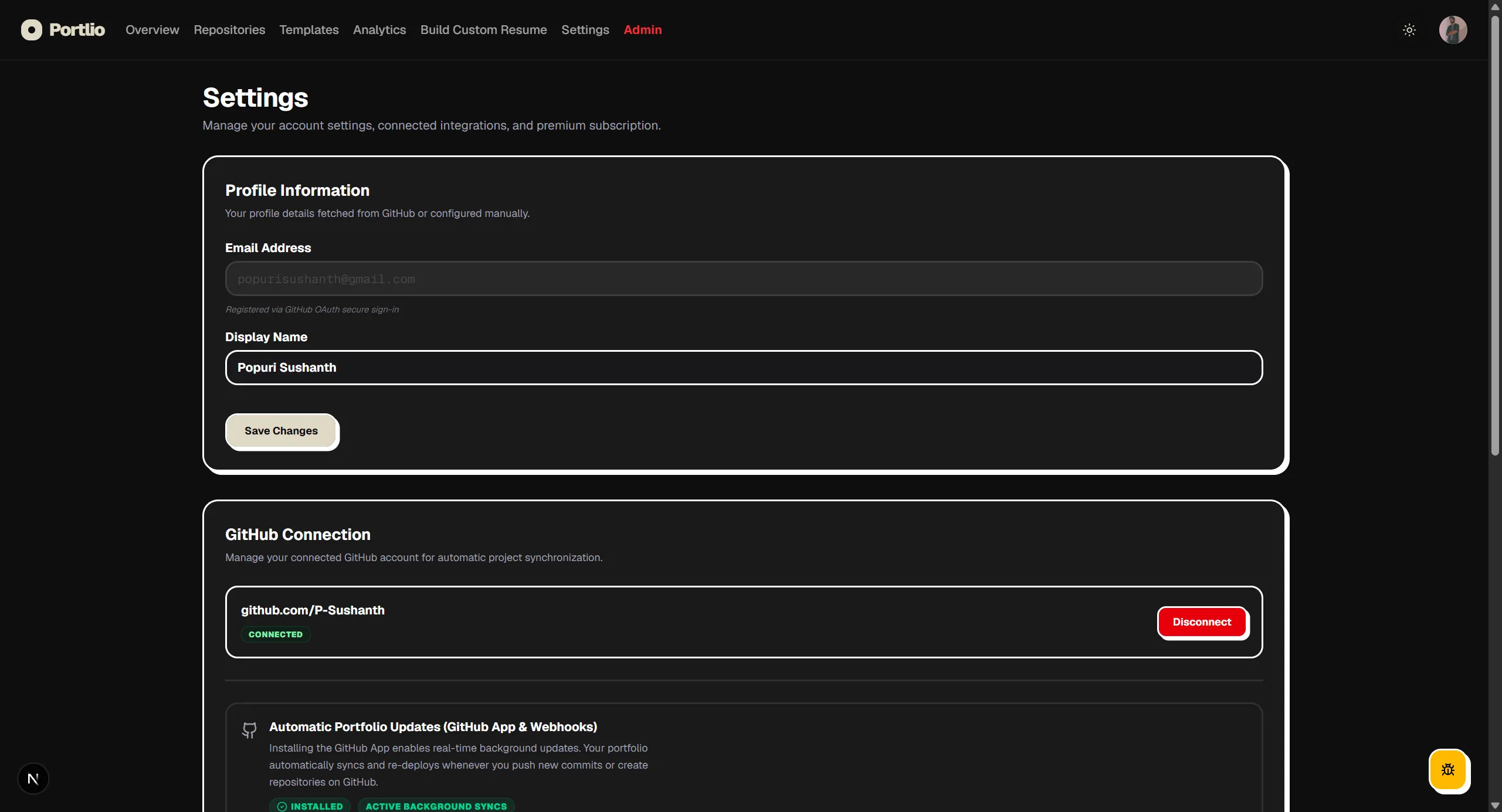
Push a commit or create a new repo on GitHub. Webhooks catch the action and trigger automatic re-compiles and deployments. No manual uploads.
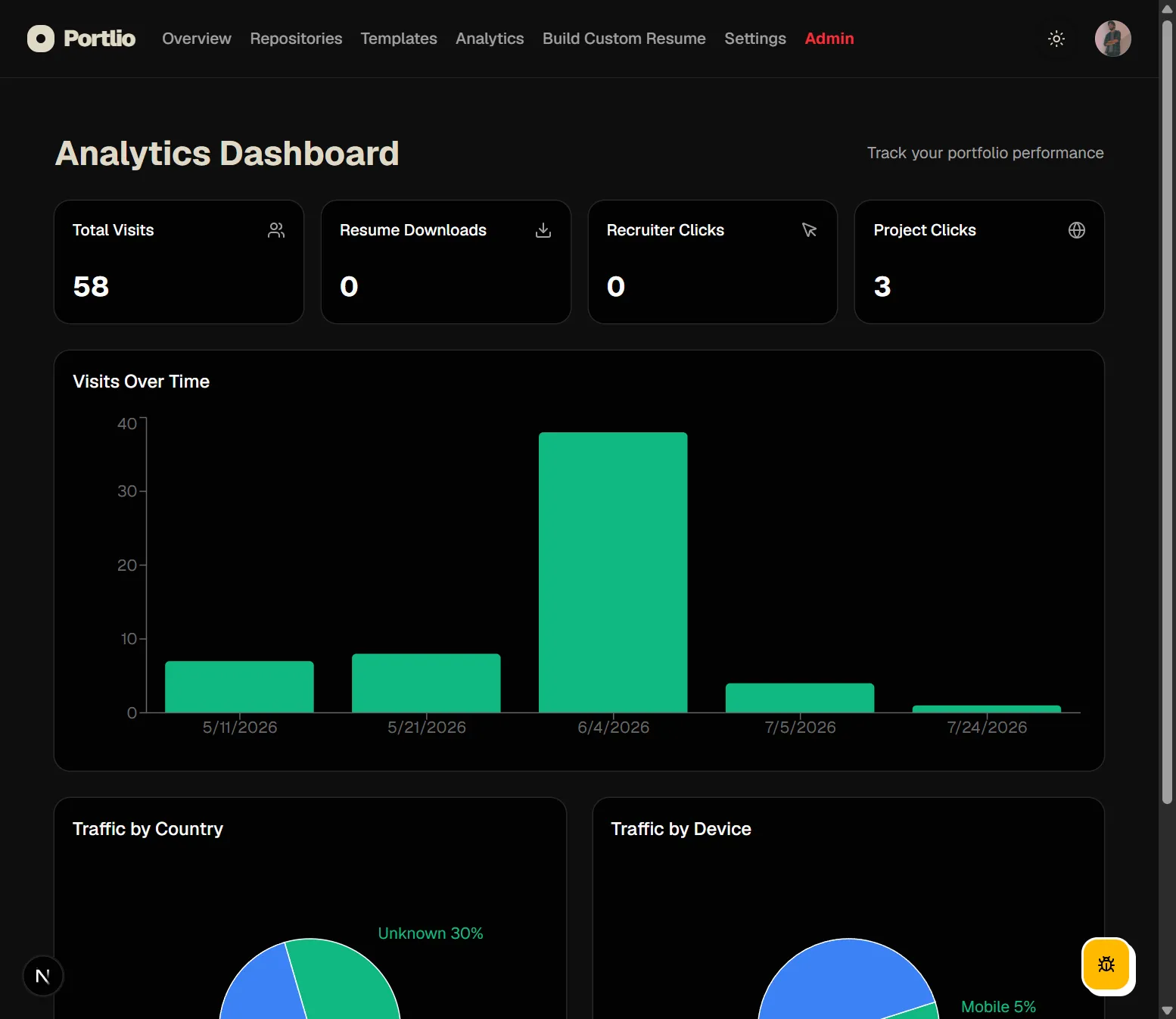
11. Analytics Dashboard
Track visitor traffic, recruiter engagement, resume PDF downloads, geographic sources, and device breakdowns directly from your dashboard.
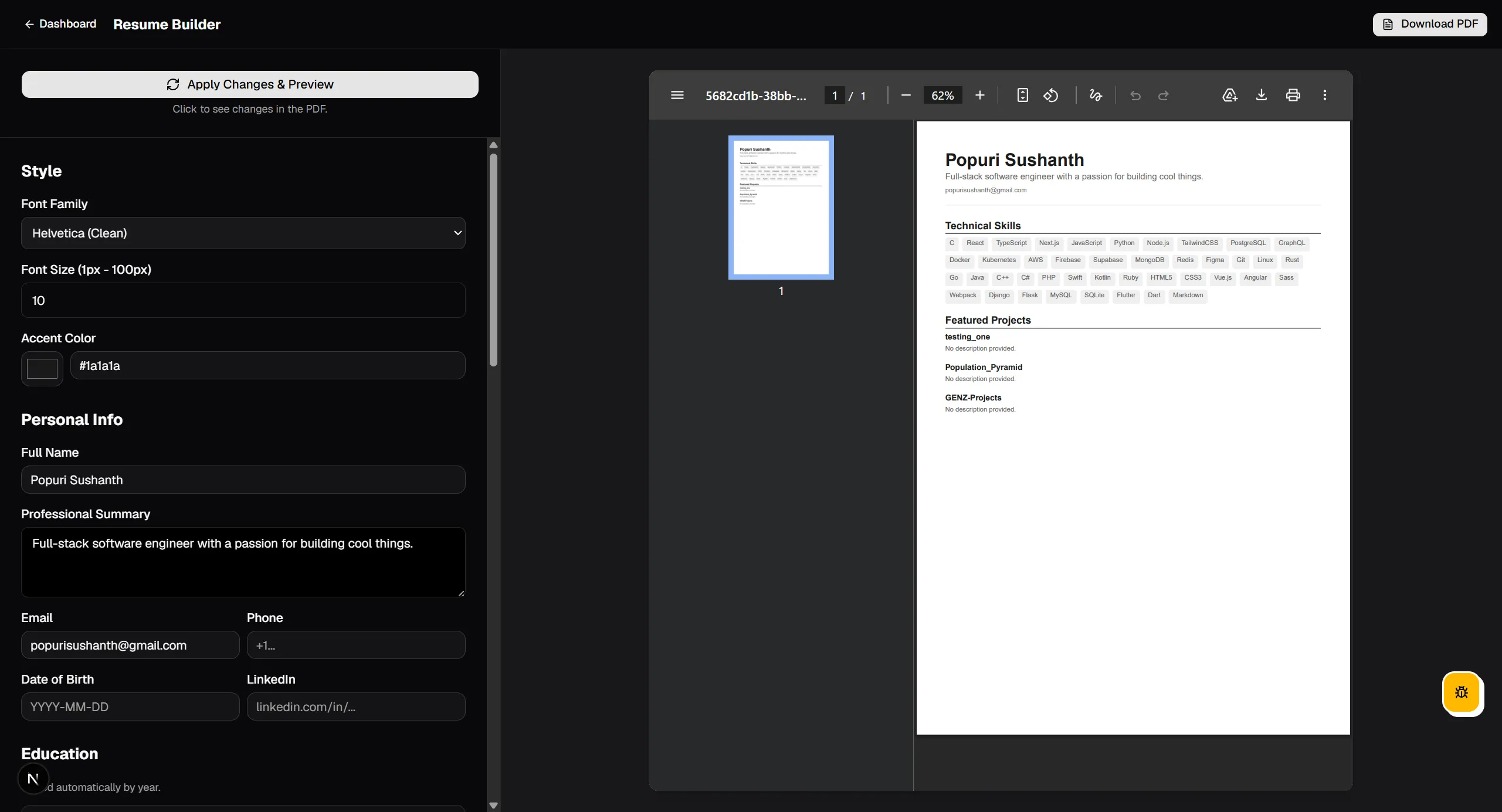
12. Resume PDF Builder
Compile your synced portfolio details (projects, skills, education, experience) into a professional, print-ready PDF resume using our standard formats.
13. Account Settings & Billing
Manage your Razorpay billing, active memberships, transaction records, connect handles, and verify GitHub App hook connections.